Image upscalers for 2026
The best upscaler is the one that fits your image, budget and workflow. Here is a practical shortlist with the trade-offs visible.
Try your image free
A self-published buying guide, not an independent lab ranking. UpscaleKit is our own product; competitor features and prices come from official sources.
The actual comparison
One submitted input. Two independent model calls. Pick a model to inspect the real result.
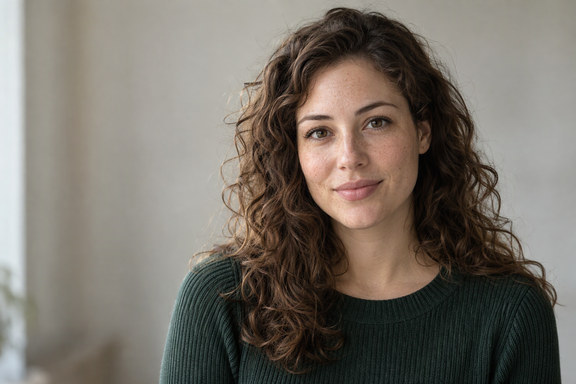
The source is original synthetic artwork. Inputs were downsampled and lightly compressed before submission; every after is the named fal endpoint’s real output. No CSS blur or separately generated after is used.
Open original-sized resultInspect these details
A self-published buying guide, not an independent lab ranking. UpscaleKit is our own product; competitor features and prices come from official sources.
- Price at your output size
- Local privacy or cloud convenience
- Faithfulness, not sharpness alone
Our online pick: UpscaleKit
For occasional images in a browser, we recommend our own UpscaleKit first: one free 720 px SeedVR2 preview, explicit model controls and a quote based on whole output megapixels. It is a self-published recommendation, not an independent award.
SeedVR2 costs 1 credit per output MP and Crystal 7; 1 credit is $0.01. Purchased credits do not expire and there is no recurring plan. Public checkout is awaiting payment approval, so the free preview is the available starting point for a new visitor.
- Good fit: a few photos, no desktop installation, visible per-image quote.
- Not a fit: offline-only processing, videos, batch automation or guaranteed reconstruction of missing facts.
Compare the actual workflows
These products do not sell the same unit. Check the commitment, output allowance, privacy route and the tasks you really need.
| Tool | Best-fit workflow | Official pricing snapshot | Main trade-off |
|---|---|---|---|
| UpscaleKit | Occasional browser images | $0 preview; SeedVR2 $0.01/MP, Crystal $0.07/MP | Full-resolution checkout pending; images sent to fal |
| Upscayl Desktop | Free local enhancement | Free and open source | Installation and compatible Vulkan GPU |
| Upscayl Cloud | Hosted enhancement and monthly credits | $24.99 for the displayed 300-credit monthly plan | Subscription allowance; cloud upload |
| Topaz Gigapixel | Desktop/plugin workflow plus cloud | $29/month personal, or $149 billed annually | Subscription and licensing terms; hardware matters for local use |
| Let’s Enhance | Recurring online image work | $12/month Starter with 100 credits; $9/month billed annually | Monthly plan/size limits; also offers pay-as-you-go bundles |
Official pages read November 5, 2026. Prices may change, taxes may apply, and these are not equal-size quality benchmarks. Upscayl also offers one-time purchases; Let’s Enhance also offers pay-as-you-go. Check the linked plans before buying.
Choose by the job
Choose local software when the image must stay on your device. Upscayl Desktop is free; Topaz offers local rendering in its desktop workflow. Local and cloud options are not interchangeable privacy promises.
Choose an online preview when installation is the obstacle and you can accept the processing policy. For regular bulk work, compare monthly allowances and concurrency rather than assuming per-image pricing is always cheaper.
- Portraits: compare identity, teeth and eyes.
- Illustration: inspect linework and flat colors.
- Property or food: verify the actual facilities, portion and ingredients.
- Pixel art: nearest-neighbor may be the correct tool, without AI.
Run your own fair comparison
Keep the same source, crop, target size and display magnification. Test a restrained setting first and keep the original. A dramatic after image is not automatically more accurate.
The controlled samples on this site were made by generating an original input, recording the downsample/compression step, and processing it with the named fal endpoint. We have not run a matched quality benchmark of the competitor products listed here.
Read the original sources
Our prices are the live site configuration shown in Pricing. Competitor details above come from their official product and pricing pages and the official Upscayl repository. The source links below are the primary references, not search summaries.
There are no invented customer ratings, affiliate commissions or claimed quality scores in this guide. We operate UpscaleKit, which is a material commercial interest.
Questions before you process
Which AI image upscaler is best?
It depends on the image and workflow. For offline free use, consider Upscayl Desktop; for an occasional browser preview, try UpscaleKit. Compare your own image at matched size before committing.
Is pay-as-you-go always cheaper?
No. A subscription can be sensible for regular volume, and other services also sell bundles. Calculate your actual output size, monthly usage and commitment.
Did you independently test every competitor?
No. This is a transparent self-published workflow guide based on official information. Only the named model samples on this site are our own controlled processing tests.
Original sources
Model controls and competitor descriptions are checked against the original references. Our own recommendation is not an independent award.
Updated November 5, 2026
See what changes in your image
One real SeedVR2 preview up to 720 px. No signup or card.