Enhance twilight photos
Give a real dusk photograph cleaner detail. Keep the house, its geometry and the lights that were actually there.
Try your image free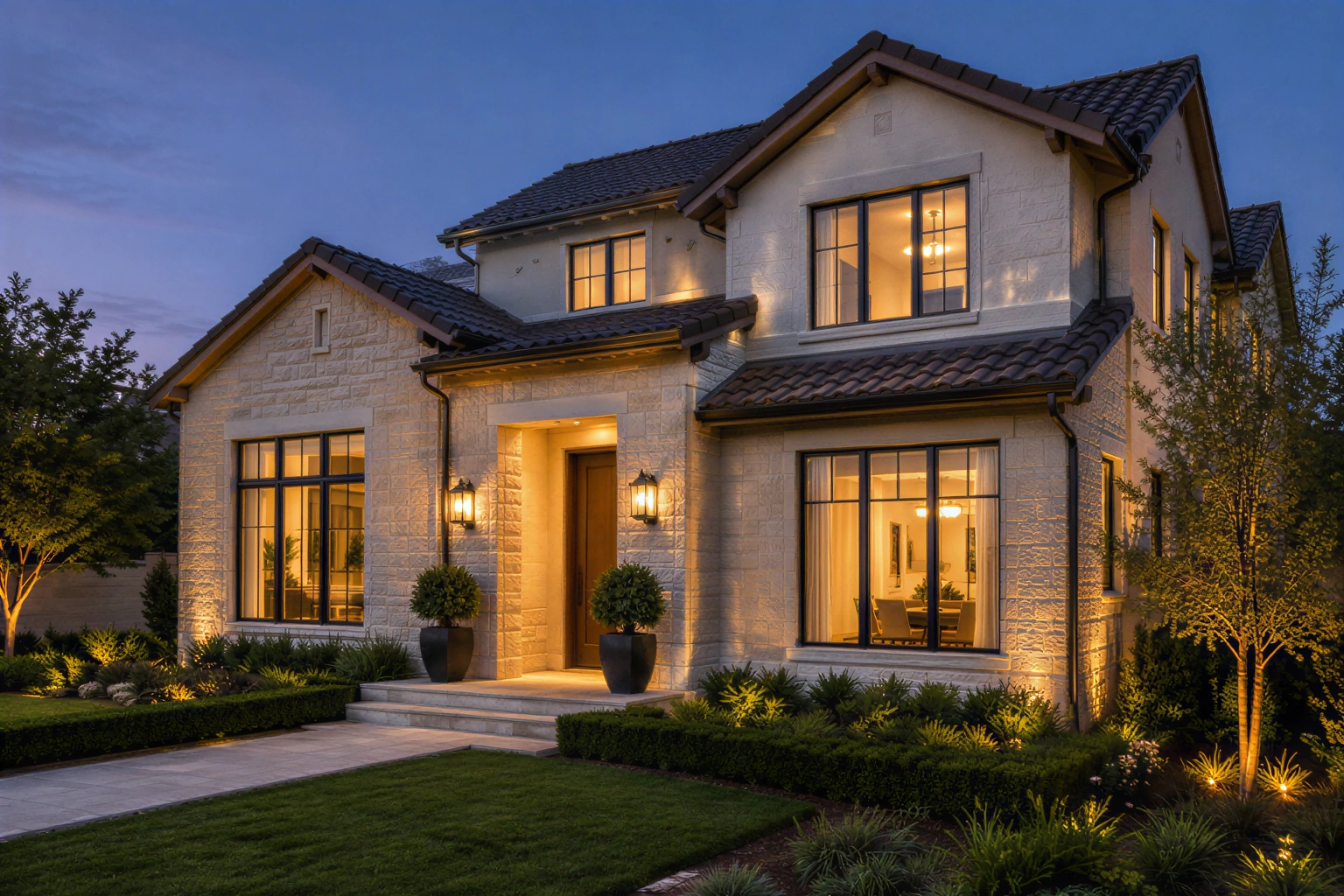
Enhancement for a photo already taken at twilight. Not day-to-dusk conversion or virtual staging.
Your image, enlarged
One free SeedVR2 preview, up to 720 px on the long edge. No signup or card. A smaller input copy is made only when you choose this mode.
One free 720 px preview. Full-resolution processing uses purchased credits; no subscription.
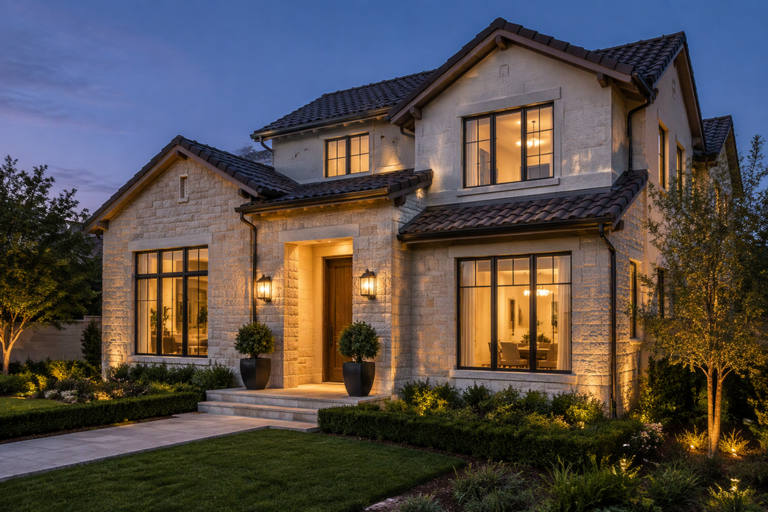
Sample input is AI-generated; the result was processed by the named FAL model.
The actual comparison
One submitted input. Two independent model calls. Pick a model to inspect the real result.
The source is original synthetic artwork. Inputs were downsampled and lightly compressed before submission; every after is the named fal endpoint’s real output. No CSS blur or separately generated after is used.
Open original-sized resultInspect these details
Enhancement for a photo already taken at twilight. Not day-to-dusk conversion or virtual staging.
- Rooflines and window frames
- Existing light, not added lights
- Listing facts stay unchanged
Start with real twilight
Use the best exposure from the actual blue-hour shoot. A bracketed RAW edit or a well-exposed original is usually a better starting point than a dark messaging-app copy.
These endpoints enlarge and reconstruct detail. They do not turn midday into a verified dusk scene, replace a sky, remove a neighboring property or stage a room.
Protect the listing facts
Enhancement must not create a window, smooth over a visible defect, change the footprint or imply a facility that does not exist. The agent or owner remains responsible for reviewing the image.
Our house is synthetic, used only to show the processing chain. The warm window light is present in the original source; it was not added after the before image was made.
Review the geometry
Begin with noise scale 0 and 2×, then compare against the original before exporting for a listing.
- Count windows and compare frame alignment.
- Trace the roof and gutter lines without halos.
- Check stone patterns for repeated invented detail.
- Compare trees, shadows and neighboring structures.
Export for the channel
Check the listing platform’s actual pixel and file-size requirements rather than blindly selecting 4K. Keep an archival PNG and export the platform’s preferred format when appropriate.
Verify whether your MLS or advertising rules require an AI-enhancement disclosure. Keep the original and the processing record available for review.
Questions before you process
Will this turn a day photo into twilight?
No. Use a photo already taken at twilight. Neither current endpoint accepts scene-editing prompts or guarantees a day-to-dusk transformation.
Can it remove damage or add landscaping?
That is not the purpose of this page. Do not use reconstructed detail to misrepresent a property or conceal material facts.
Can I try the house image first?
Yes. The slider shows a completed synthetic test without charging. Your own first image can also use the small free preview.
Original sources
Model controls and competitor descriptions are checked against the original references. Our own recommendation is not an independent award.
Updated November 5, 2026
See what changes in your image
One real SeedVR2 preview up to 720 px. No signup or card.